


The short answer
The cost to build an app depends first on what kind of app you actually need. A lightweight prototype used to test an idea is not the same as a customer portal with logins, payments, and a database. A public iPhone and Android app is different again because it can bring app-store review, device testing, release management, and platform-specific requirements.
Clutch's September 2026 mobile app pricing guide reports that most mobile app development projects reviewed on its platform fall between $10,000 and $49,999. That describes a sample of marketplace projects, not a minimum price for every proof of concept or internal business tool. [1] El Roi Digital Services separately publishes an App Planning Session starting at $200, a Prototype / MVP App starting at $1,500, and a Business App / Client Portal starting at $4,995, with full custom app development quoted by scope. These are entry prices, not fixed costs for every application. [2]
The smartest first question is usually not “Can we build an app?” but “Which problem will the app solve, who will use it, and what is the smallest dependable version that proves its value?”
First, decide whether you need a website, a web app, or a mobile app
People use the word “app” for several types of software. They may look similar on a phone, but the development and operational choices differ.
Swipe or scroll to read all columns.
| Product type | Typical purpose | Important tradeoff |
|---|---|---|
| Public website | Explain services, attract leads, show products, publish content | Usually simpler, but not designed for complex private workflows |
| Web application | Authenticated forms, dashboards, orders, staff tools, client portals | Works through a browser; requires careful account, data, and permission design |
| Progressive web app (PWA) | Web experience with app-like installation and selected offline features | Platform and device capabilities vary; native integrations may be limited |
| Native mobile application | Device-focused iOS or Android features and app-store distribution | More release, testing, and platform management overhead |
| Low-code or no-code workflow | Rapid experiment or simple structured automation | Cost-effective when built-in capabilities meet the real requirements |
Mozilla's MDN explains that PWAs use web technologies and can provide app-like experiences, including installation and certain offline functionality, while sharing a codebase across devices. It does not follow that every PWA will work offline, provide every native capability, or satisfy all app-store requirements. [3]
For a service business that only wants customers to upload documents, view appointments, and contact staff, a secure browser-based portal might be the most practical first step. For a consumer product built around smartphone hardware, native or cross-platform mobile development could be more appropriate.
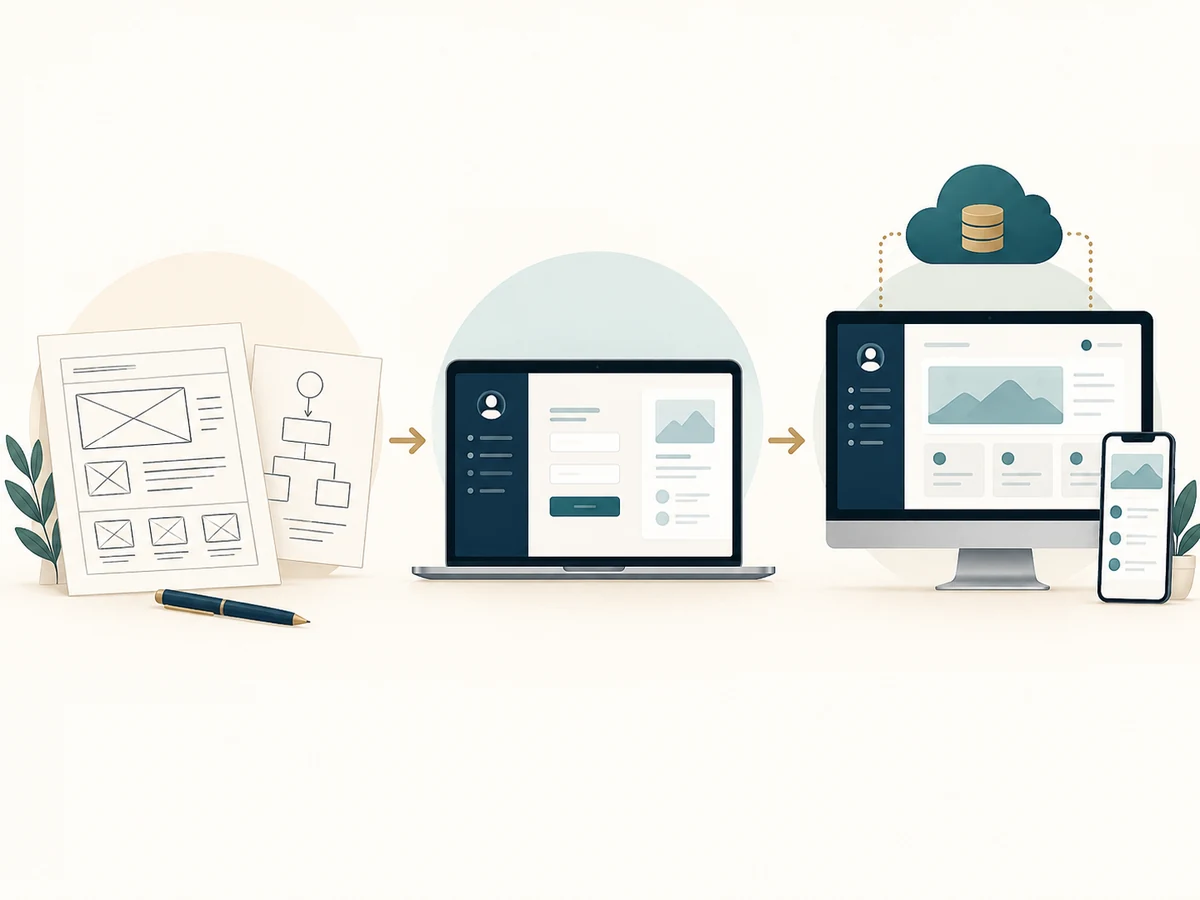
Prototype versus MVP versus production application
A prototype demonstrates a concept. It might contain clickable screens, sample data, and a basic journey. Its purpose is to ask, “Do users understand this idea?” It should not be mistaken for a secure, fully supported production platform.
An MVP, or minimum viable product, is a limited, working version of the product that supports one meaningful use case for real users. It usually includes enough security, reliability, and measurement to evaluate the core business assumption. Its scope is deliberately narrow, not careless.
A business portal typically supports repeated operational work: user accounts, records, permissions, file uploads, messaging, reports, approvals, or payments. Many portals are not sold to the public in an app store at all. A full custom app may include multiple roles, real-time updates, third-party connections, billing models, extensive reporting, and more complex availability and support requirements.
These definitions help prevent a common budgeting mistake: requesting a “simple app” while listing every feature of a mature platform. The work may be straightforward in individual pieces but expensive in combination.
What affects the cost of custom app development?
1. The number of user types and their permissions
A staff-only tool with one role is different from a marketplace with customers, vendors, administrators, managers, and auditors. Every role needs a clear view of what it can see, edit, approve, export, and delete. Access-control errors are a major class of web-application risk in OWASP's Top 10 guidance. [4]
2. Data structure and migration
An app that stores names and appointment dates is different from one that tracks orders, recurring subscriptions, inventory, job estimates, media, or large uploaded files. Existing spreadsheets also require cleanup and import rules; the cost does not disappear because the information is “already in Excel.”
3. Integrations and payment processing
Connecting software to calendars, point-of-sale systems, shipping providers, text messaging, payments, email, or accounting tools involves authentication, error handling, provider usage charges, and vendor policy changes. A no-code connector can be sufficient for a pilot, but an operational system should also account for failed events and reconciliation.
4. User experience and accessibility
A good app must be comprehensible to its real users. Forms need labels, error messages, logical keyboard access, sufficient contrast, and responsive layouts. WCAG 2.2 provides a practical standard for accessible web content and applications; users of native apps also benefit from platform-specific accessibility testing. [5]
5. Security and reliability
A portal containing customer files needs secure login, access limitations, backups, logs, and a plan for handling sensitive information. NIST's Secure Software Development Framework recommends incorporating security practices throughout development rather than adding them only after launch. [6]
6. The release and maintenance path
Apps need updates when operating systems, browsers, APIs, dependencies, or business policies change. An MVP may also require cloud hosting, databases, storage, authentication, messaging, usage monitoring, and support tickets. Firebase, for example, offers both no-cost tiers and usage-based billing; actual spending depends on usage and enabled services. [7]
Actual 2026 pricing: industry context versus El Roi starting prices
Swipe or scroll to read all columns.
| Pricing reference | Amount | What it represents |
|---|---|---|
| Clutch mobile app projects reviewed, September 2026 | Common range $10,000–$49,999 | Observed Clutch-reviewed mobile-app projects, not every type of business tool [1] |
| El Roi App Planning Session | From $200 | Initial clarification of features, timeline, and approach [2] |
| El Roi Prototype / MVP App | From $1,500 | A lightweight app, portal, or no-code MVP at an agreed limited scope [2] |
| El Roi Business App / Client Portal | From $4,995 | More substantial business workflows and customer access, scope-dependent [2] |
| El Roi Full Custom App Development | Custom quote | Scope, platforms, integrations, and support determine the estimate [2] |
These figures describe different kinds of work; they should not be interpreted as direct like-for-like alternatives. A quoted $1,500 MVP is not a promise to build the same app that an agency prices at $49,999. A responsible contractor will state which features can fit the agreed budget and which are reserved for later phases.
App-store and cloud costs people miss
If distribution through major app stores is required, the business should budget for developer accounts and release policies. Apple's Developer Program page lists $99 USD per membership year in the United States, subject to region and qualifying exceptions. Google Play Console help lists a $25 one-time registration fee and explains identity verification and additional testing requirements for some personal accounts. [8] [9]
Other recurring expenses can include application hosting, managed databases, file storage, transactional email or SMS, payment processing, monitoring, third-party API fees, domain names, and customer support. Providers may change their pricing or service limits; make sure the business controls key vendor accounts and can review current bills.
The FTC's guidance on protecting personal information recommends collecting only what is needed, limiting access, protecting stored information, disposing of it appropriately, and planning for incidents. Those disciplines should influence the app's architecture and its operational budget. [10]
A worked example: a small-business client portal
Imagine a cleaning company that currently manages repeat appointments, customer instructions, invoices, and photos through text messages and spreadsheets. This is a fictional example illustrating the scoping process, not a description of a specific El Roi client.
The owner's initial wish list might include a customer login, online booking, staff scheduling, quotes, payment history, before-and-after photographs, a text-message assistant, recurring packages, and payroll reporting. Building all of it at once would create unnecessary complexity before the owner knows what customers use.
A practical first release could contain:
- Customer account registration and secure login.
- A request form for appointments and service details.
- A staff dashboard to review and update requests.
- Automated confirmation drafts or approved notifications.
- Basic activity logs and an export the owner can use.
The next phase could add payments and customer history after the core workflow is tested. Staff schedules, advanced billing, and integrations might come later. Each phase should have written acceptance criteria. For example, “When a customer submits a request, authorized staff can view it, and the customer receives an accurate confirmation”—not simply “booking works.”
This approach does not guarantee a particular development price. It limits the number of unknowns in the first quote.
A five-step path from idea to reliable launch
Step 1. Document the problem and current process
Write down what people do today, where delays occur, and what mistakes have real consequences. Do not begin with a screen list. A process map reveals whether new software is needed or whether existing tools could be configured better.
Step 2. Identify users, roles, and the one essential outcome
Decide who will use the application and which job the first version must complete. A well-defined MVP might be “staff can receive, assign, and close customer requests” rather than “an all-in-one business management platform.”
Step 3. Rank features as must-have, next, and later
Must-have features are necessary for the first test to succeed. Next-phase features improve a proven workflow. Later features remain ideas until demand is demonstrated. Avoid including sensitive data collection or AI functionality without a specific operational reason.
Step 4. Prototype and test with actual users
Show real staff or customers the workflow before expanding engineering work. Ask users to complete tasks without coaching, log their confusion, and revise the design. For a production pilot, add security and permissions testing, backup verification, and accessible error handling.
Step 5. Launch with an owner and maintenance plan
Assign responsibility for billing, vendor accounts, updates, support, security incidents, and data exports. Create a written path for enhancements so the application remains an asset rather than becoming an unsupported dependency.
Questions to ask an app developer
Request clear answers about the deliverable (prototype, MVP, production system), chosen platform, data ownership, hosting, security and backups, source-code and intellectual-property terms, third-party dependencies, testing, deployment, and support after launch. Confirm how change requests are priced. Ask the developer what not to build yet; a trustworthy advisor should sometimes recommend a smaller product.
El Roi Digital Services publicly lists a karaoke application experience, SeenSing, in its portfolio and identifies ATOM Estimator as an industrial estimating platform in private development. Examples should be described accurately according to their live status, without claiming completed features or customer outcomes that have not been verified. [11]
Questions readers ask
What is the cheapest way to test an app idea?
Define one real user problem, build a clickable prototype or tightly scoped no-code MVP, and test it with a few prospective users before committing to a larger build. The least expensive valid approach depends on the features and data involved.
Is a web app the same as a mobile app?
No. A web app runs through a browser; a native mobile app is designed for a specific mobile platform. Some PWAs bridge parts of the experience, but technical capabilities and distribution differ. [3]
Can a client portal be an app without appearing in the App Store?
Yes. Many client portals are secure browser-based web applications. App-store distribution is often unnecessary when users only need a reliable link, a login, and a responsive interface.
How long does it take to build a custom application?
It depends on the agreed scope, review speed, integrations, technical risks, and testing. Ask for milestones tied to working deliverables rather than assuming a fixed timeline from the phrase “simple app.”
What ongoing expenses should I expect?
Consider hosting, database use, file storage, payment or messaging fees, security maintenance, software updates, bug fixes, and user support. Forecast usage and revisit costs after launch rather than assuming that free service tiers remain sufficient. [7]
Do I own the source code and customer data?
Ownership and licensing depend on the written agreement and each third-party platform's terms. Confirm these issues before paying for development, and require an export and transition plan if the vendor relationship ends.
A practical next step
The strongest app plans start small enough to test and serious enough to trust. If your business is spending hours moving information between spreadsheets, inboxes, and customer messages, first map the process and define the outcome. A tailored portal or web app may be useful—but so may better use of existing software.
El Roi Digital Services offers app planning, prototypes/MVPs, business apps, client portals, and custom development by scope. See published starting points at current services and starting prices and submit a project outline at contact El Roi Digital Services A written scope, rather than this article, determines what a particular budget buys.
Sources and further reading
1. Hicklen, Hannah. “Mobile App Pricing Guide 2026.” Clutch. Updated September 21, 2026. https://clutch.co/directory/mobile-application-developers/pricing
2. El Roi Digital Services. “Services and Published Pricing.” Accessed October 22, 2026. current services and starting prices
3. Mozilla Developer Network (MDN). “Progressive Web Apps.” https://developer.mozilla.org/en-US/docs/Web/Progressive_web_apps
4. OWASP Foundation. “OWASP Top 10:2021.” https://top10.owasp.org/2021/
5. World Wide Web Consortium (W3C). “Web Content Accessibility Guidelines (WCAG) 2.2.” W3C Recommendation, December 12, 2024. https://www.w3.org/TR/WCAG22/
6. Souppaya, Murugiah, Karen Scarfone, and Donna Dodson. “Secure Software Development Framework (SSDF) Version 1.1.” NIST SP 800-218, February 2022. https://csrc.nist.gov/pubs/sp/800/218/final
7. Google Firebase. “Firebase Pricing.” Accessed October 22, 2026. https://firebase.google.com/pricing
8. Apple Developer. “Become a Member: Apple Developer Program.” Accessed October 22, 2026. https://developer.apple.com/programs/enroll/
9. Google Play Console Help. “Get Started with Play Console.” Accessed October 22, 2026. https://support.google.com/googleplay/android-developer/answer/6112435
10. Federal Trade Commission. “Protecting Personal Information: A Guide for Business.” https://www.ftc.gov/business-guidance/resources/protecting-personal-information-guide-business
11. El Roi Digital Services. “Projects.” Accessed October 22, 2026. selected projects