


The short answer
AI customer service can help answer routine questions about hours, services, policies, appointments, and order status—but a chatbot becomes a dependable business tool only when its information, permissions, and human handoff are designed carefully. Some businesses need a simple FAQ search box. Others benefit from a conversational assistant that reads approved knowledge-base content. A smaller number need an AI-enabled system that connects to booking, support tickets, or other business records.
Evidence suggests promise, with important limits. In a peer-reviewed 2025 study in The Quarterly Journal of Economics, Brynjolfsson, Li, and Raymond studied a generative AI assistant used by 5,172 human customer-support agents at one firm. The researchers found an average 15% increase in issues resolved per hour for agents with AI assistance. The result does not mean any autonomous website chatbot will increase a small company's productivity by 15%, nor does it generalize to every industry. [1]
For owners, the better goal is accurate service and faster routing of routine questions—not replacing the human relationship customers value.
Not all chatbots are the same
Swipe or scroll to read all columns.
| Type of customer help | What it does | Best fit | Important limitation |
|---|---|---|---|
| Rule-based FAQ or menu bot | Shows predefined answers and paths | A small set of predictable questions | May not understand questions outside the menu |
| AI knowledge assistant | Uses approved policies and content to draft conversational answers | Larger information libraries and varied customer wording | Can still misunderstand or invent details if not controlled |
| AI-enabled service agent with tools | May look up authorized records or begin approved workflows | Specific, well-defined account or scheduling tasks | Requires authentication, permissions, error handling, and oversight |
A company that receives 20 variations of “Where do I pick up my order?” may need only clear website content and a short FAQ. A business with several services and changing policies might benefit from an assistant that can find the right policy quickly. An account-specific order lookup is a different, more sensitive project because customers must be authenticated before private information is released.
What can a useful AI assistant actually answer?
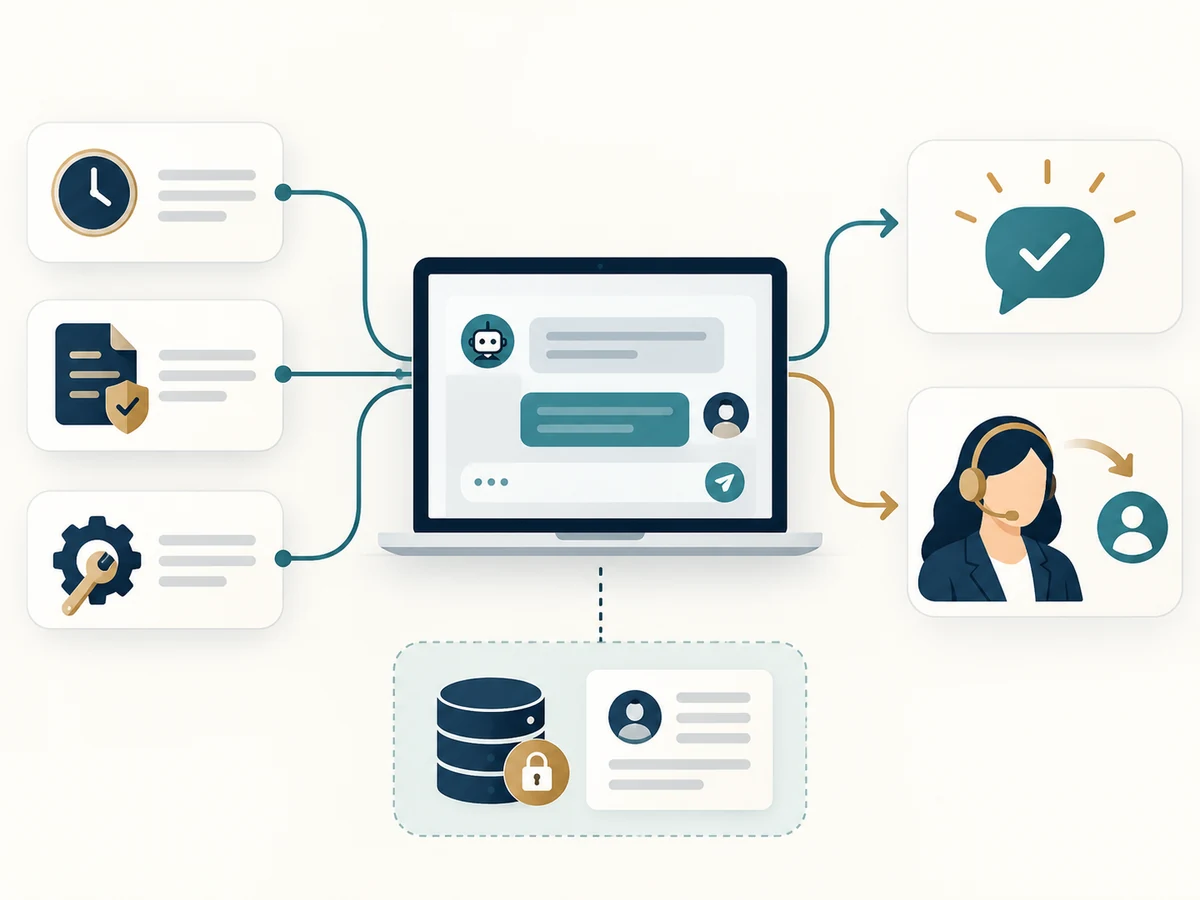
An assistant can be given a well-maintained set of information such as business hours, service descriptions, publicly listed pricing, appointment steps, pickup locations, general shipping rules, payment options, and contact methods. It can help users navigate the website, collect a non-sensitive inquiry, or create a support ticket for staff.
It should not invent a current shipping price, issue an unapproved refund, promise an item is in stock without checking the inventory system, or speak as though a human employee verified information when none did. Sensitive questions require the right source and a responsible person. Good customer service sometimes means: “I don't have enough verified information to answer that. I can send your question to our team.”
Your knowledge base is more important than a clever prompt
AI answers are only as dependable as the information the system is allowed to use and the checks applied to its output. Before integrating a chatbot, assemble a concise, approved business knowledge base:
- Current hours, addresses, contact methods, and service area.
- Product or service descriptions written in plain language.
- Returns, refunds, cancellations, shipping, and pickup policies.
- What the business does not offer or guarantee.
- Rules for quoting prices, availability, and payment terms.
- Escalation contacts, response expectations, and emergency exclusions.
- An owner and revision date for each policy.
An implementation can use search or retrieval to supply relevant approved documents to a model. That technique helps ground the response in company material, but it is not proof that every answer will be correct. Test what happens when there is no source, the source is outdated, or two policies disagree. NIST's Generative AI Profile encourages organizations to evaluate validity, monitoring, and other risks rather than equating fluent outputs with reliability. [2]
A fictional example: the bakery with pickup and wholesale inquiries
Imagine an independently owned bakery offering local pickup, selected shipped products, and occasional wholesale orders. This is an illustrative scenario, not a case study or a claim about any particular business.
The owner's recurring questions might be: “Can I pick up tomorrow?”, “Where is the pickup counter?”, “Do you ship cakes?”, “How do wholesale accounts work?”, and “My package arrived damaged; can I get a refund?”
A helpful first phase would publish clear policies on the website and have the assistant answer from those pages. A customer asking about pickup would receive the approved location and standard hours, with a clear warning that availability must be confirmed at checkout. Wholesale inquiries could be routed to a form for review. Damage or refund complaints would go to a human employee with a ticket number.
A later phase might connect the assistant to authenticated order status, but only after access rules and failed-lookup handling are tested. The system should not search customer details based only on a name typed in chat. “More connected” is not the same as “more secure.”
Five safeguards every small-business chatbot needs
1. Honest identification
Do not present automated text as if a named employee is actively typing it. Tell visitors they are using an automated assistant and provide a human contact method. The disclosure should be natural and visible, not buried in an obscure policy.
2. Reliable source boundaries
Use current business documents and explicit tool permissions. A system should be able to point to the policy or approved record used for an important answer. If the relevant information is absent, it should ask for clarification or escalate instead of guessing.
3. Data minimization and restricted access
The Federal Trade Commission recommends knowing what personal data a business collects, keeping only what it needs, securing it, and properly disposing of unneeded records. A chat system should not ask for passwords, payment-card details, Social Security numbers, or unnecessary confidential information. Private account details require a secure authenticated workflow, not an open chat transcript. [3]
4. Protection against hostile inputs
OWASP's 2025 guidance on large-language-model applications identifies prompt injection and sensitive-information disclosure as important risks. A message from a customer or a page the model reads may contain text that tries to change its instructions. Models must not have unchecked authority to send money, change policies, expose records, or execute arbitrary operations. [4]
5. Accessible human escalation
Chat should not be the only way to receive help. Provide a usable contact form, email, phone where appropriate, and a keyboard-accessible interface. WCAG 2.2 describes criteria for accessible web experiences across devices and disabilities. [5]
How much does AI customer service cost?
There is no defensible single price for all chatbot projects. Four parts determine the total:
Swipe or scroll to read all columns.
| Cost area | What to ask |
|---|---|
| Initial knowledge preparation | Who writes, checks, and approves policies, FAQs, product details, and response boundaries? |
| Implementation and testing | Is this a simple embedded widget, a custom assistant, or an integration with protected records? |
| Recurring operations | Are there platform subscriptions, AI usage charges, hosting, message fees, and monitoring? |
| Ongoing ownership | Who updates answers, reviews failures, handles customer complaints, and maintains integrations? |
A low-cost self-service tool can be reasonable for a simple FAQ. A customized assistant integrated with bookings or CRM data is a more substantial software project. Avoid quotes that describe only a one-time setup fee without specifying continuing usage charges, responsible staff, and support requirements.
When evaluating proposals, request a sample knowledge-base plan, a list of approved data sources, an escalation flow, data-retention and vendor terms, and a realistic test plan. If the developer cannot explain what the bot does when it does not know, the project is not sufficiently scoped.
A 30-day pilot without inflated promises
Days 1–7: Prepare. Identify the top 25–40 routine questions and write verified answers in plain language. Document the situations the assistant must refuse or escalate. Determine what, if any, private customer data it truly needs.
Days 8–14: Configure and test. Connect only approved sources. Test routine wording, misspellings, contradictory policies, and questions it should not answer. Include tests for prompt injection and unauthorized data requests. Record results and correct the underlying documents.
Days 15–21: Run with close oversight. Allow a limited rollout; provide clear bot identification and a human handoff. Review chats with privacy protections, ask staff what the assistant missed, and improve the knowledge base rather than merely changing prompt wording.
Days 22–30: Decide. Examine accurate-answer rate, escalation rate, abandoned conversations, customer satisfaction, and staff time. Decide whether the limited assistant should remain, expand, or be removed. An unsuccessful pilot can be a useful result if it prevents a costly, unreliable deployment.
Metrics that matter more than “number of chats”
A chatbot that handles many conversations but gives wrong answers may damage trust. Measure a balanced set of outcomes:
- Answer accuracy: share of reviewed answers supported by current business sources.
- Successful resolution: customer obtained the correct information or completed an intended action.
- Appropriate escalation: sensitive, difficult, or uncertain questions reached a person.
- Correction rate: how often staff must change or retract an answer.
- Customer experience: satisfaction, complaints, and whether visitors could reach humans.
- Operating cost: platform and usage spending plus the time needed to maintain policies and review conversations.
Research on AI-assisted customer service should be interpreted carefully. The Brynjolfsson–Li–Raymond study examined support agents using an assistant at one employer and found heterogeneous gains, with less-experienced staff benefiting most in that setting. It is evidence worth considering, not a business guarantee. [1]
Questions readers ask
How do I add an AI chatbot to my business website?
Start by defining approved questions, preparing accurate source content, selecting a tool that fits your data sensitivity, adding a clear human handoff, and testing it before broad release. A custom integration is appropriate only when standard tools cannot meet the workflow safely.
Will an AI chatbot replace my customer service staff?
It can assist with selected routine questions and routing, but human employees remain important for exceptions, disputes, policy interpretation, sensitive concerns, and relationship-building. Evidence about AI-assisted agents does not prove fully autonomous replacement will work. [1]
Can a chatbot give customers pricing and order updates?
It can repeat publicly approved prices, with effective dates and qualifications. Private order status should be retrieved only through authenticated systems. If pricing is custom or inventory changes quickly, route the customer to a verified quote or live lookup.
Are website AI chatbots safe for customer information?
Safety depends on the provider, architecture, permissions, retention, and operating practices. Do not assume a chatbot is private or compliant simply because it is embedded in your website. Evaluate data protection and vendor terms. [3] [4]
What happens when the bot gives the wrong answer?
There should be an escalation path, review log, ability to correct the source policy, and a way for customers to reach an employee. Avoid allowing high-impact actions without explicit validation and approval.
Do I need AI if I already have a good FAQ page?
Maybe not. If a clear, searchable FAQ answers nearly all routine questions, that may be the simpler and less expensive solution. Add conversational functionality when it improves the experience in a measurable way.
A practical next step
A trustworthy customer service assistant should make customers feel heard, not trapped. Begin by organizing the information your employees already use, decide which questions are safe to answer automatically, and require clear human access when judgment matters.
El Roi Digital Services provides websites, apps, portals, and digital workflows. To discuss a possible website help assistant or support workflow, share your existing site, the questions customers ask most often, and the systems that hold approved answers at contact El Roi Digital Services Any AI service availability, integrations, privacy controls, and costs must be specified in a project proposal; the public service catalog does not currently advertise a standalone chatbot package. [6]
Sources and further reading
1. Brynjolfsson, Erik, Danielle Li, and Lindsey Raymond. “Generative AI at Work.” The Quarterly Journal of Economics 140, no. 2 (2025): 889–942. Published February 4, 2025. https://doi.org/10.1093/qje/qjae044
2. Autio, Chloe, et al. Artificial Intelligence Risk Management Framework: Generative Artificial Intelligence Profile. NIST AI 600-1, July 2024. https://doi.org/10.6028/NIST.AI.600-1
3. Federal Trade Commission. “Protecting Personal Information: A Guide for Business.” https://www.ftc.gov/business-guidance/resources/protecting-personal-information-guide-business
4. OWASP Foundation. “OWASP Top 10 for Large Language Model Applications, Version 2025.” https://genai.owasp.org/llm-top-10/
5. World Wide Web Consortium. “Web Content Accessibility Guidelines (WCAG) 2.2.” W3C Recommendation, December 12, 2024. https://www.w3.org/TR/WCAG22/
6. El Roi Digital Services. “Services and Published Pricing.” Accessed October 22, 2026. current services and starting prices